You must log in or register to comment.
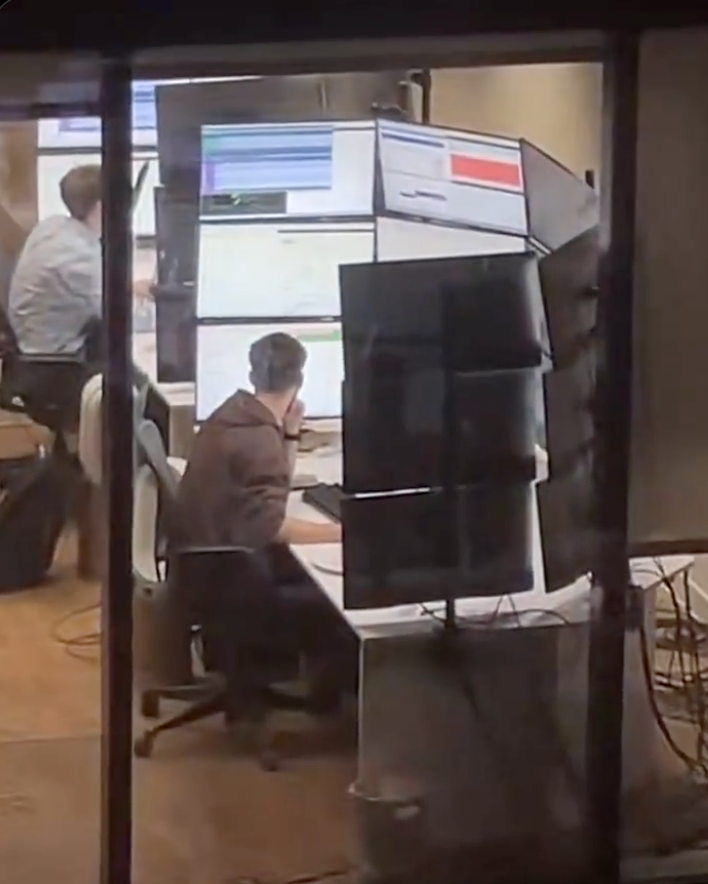
This is it. This is the threshold of where a VR headset and a virtual desktop manager makes more sense.
I think I’d still rather this than have a heavy device on my head, an umbilical, and motion sickness.
I have had friends and coworkers send this meme to me repeatedly because my WFH setup is closer to this than I’d like to admit. Fuck it though, I find it helpful.
Bro, I have one coworker that does his work on a 14" laptop, no external mouse or keyboard.
I have no idea how. I have minimum 15 windows open at once and am going back and forth on them or have 4 windows open at once in my monitors to compare data and make markups. And ofc a nice keyboard and mouse. Laptop gets shoved out of sight.
I feel like he’s either really slow or not doing any work at all.
And then I feel guilty because I don’t work hard enough 🙄
The answer is he is really slow.
I have that same coworker.
He’s the true definition of a grinder. Works on a laptop screen with only touchpad. He works 7 days/week and 9 hours/day to keep up productivity. I have no idea why.
I told Mgmt to please for the love of God buy him a monitor, and a mouse. My coworker refused both…
Those little monitor bracket clamps vs the edge of that desk…

This is why I like KDE Plasma. Just shake the mouse and watch the cursor get bigger.
Mac does this as well
And there isn’t an upper limit! Keep shaking!
his background image:

Whoa, slow down there Satan.
I just saw a windows 95 era gradient until i zoomed in
Just use Xeyes app
Load up a couple of instances so you can triangulate its position
Or a 200% yellow cursor, like I do
Ask those fucking monitors and they couldn’t spare a few hundred each on better chairs?
Knowing how crazy office furniture is, those could very well be thousand dollar chairs.
On the one hand, that’s over $3000 in monitors for one cubicle.
On the other, “office furniture” and “IT equipment” can be two completely different budgets in different departments. So the numbers aren’t directly comparable when it comes to requisitions.
You may not like it, but this is what peak ergonomics look like
8K ultrawide monitor in a nutshell(if we assume that each individual monitor has 1080p resolution).
And then a windows update in the middle, with “hey, take it easy bro, we are just taking care of a few things, alright? Your friends at Microslop.”
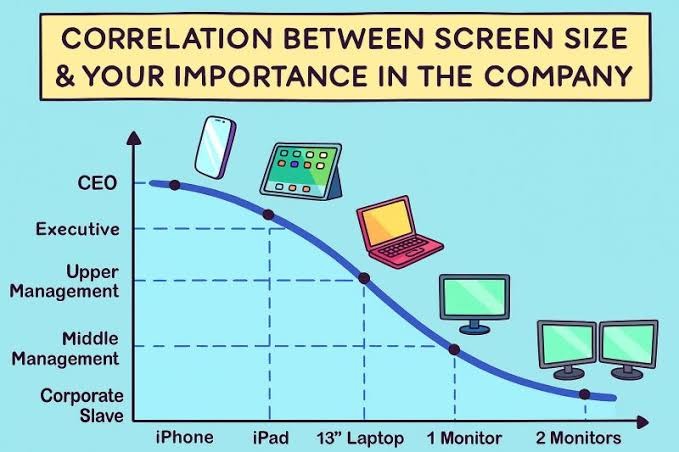 I guess we need to extend this chart somewhat…
The most important is at the bottom of that curve, right?


Well, yes, but also the lowest-paid.
nope. you just need to adjust a few things. 2 monitors for corporate serfs (rename middle management to serfs) and 4+ for corporate slaves. upper management gets a laptop and a normal monitor. executives can stay the same. CEO needs 2 phones.
I think the current dogma is CEO gets a phone with 2 screens.
Soon to be 3 with the Samsung (You can’t afford it anyways).
CEO needs 2 phones
Is the second one for the coke dealer?
coke, prostitutes, bribery, etc.,
I should get a second phone
c-suite material
Okay I use a 50” TV as a monitor. What am I?
Unemployed?
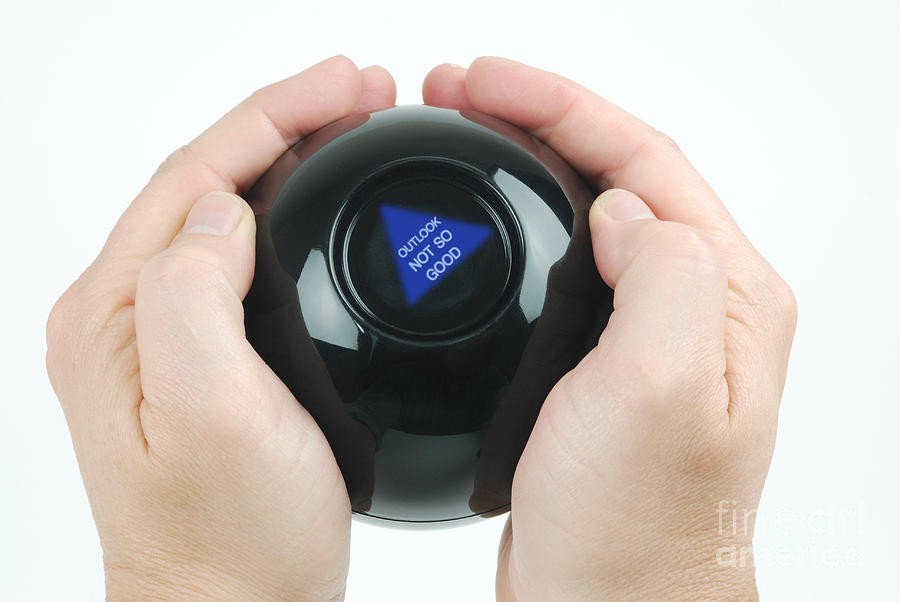
Needs a log scale x-axis
Yeah and the wild thing is that the importance axis is cut-off, by the time it reaches 10+ screens that’s the single most important employee who if they were runover by a bus tomorrow, the company will just randomly implode one day when something only they know how to maintain just falls over and no contractor can untangle the spaghetti infrastructure.
The thing is, they haven’t had a pay rise since screen 6 but somehow are just unphased even by inflation.
Yeah it starts ticking back up after 2 monitors
It really doesn’t, and I say that as someone who often had 3 or 4 monitors on his desk 😂
Five or more monitors is typically for traders watching charts and news simultaneously. Those rake in a bit more than grunts.
The salary you make doesn’t say much about your position in the company. Traders are still wage slaves IMHO, they’re just paid more than others, and only if they’re successful.
in the mean time some of the executives replaced themselves with an assistant using AI responses and they haven’t done any work in over a year and somehow we are saying they were important.

Too real
Ray Bradbury warned us of this
Picard: Computah, where is the bloody cursor??
Shake till it gets big
😐 What gets big exactly?
“yes”
It’s a feature in KDE that if you shake or move the mouse fast the cursor gets bigger so you can find it.
Debian 13 + KDE Plasma - Why does the mouse get so huge? HAAAAHAHAHAHA
KDE Plasma is so fucking good these days it’s amazing to me that people voluntarily use Windows
It is also a sexual innuendo.
I wanna put that in your end-o, if you know what I meANALSEX
meANALSEX
As subtle ass a pounding
That pun went right over my head.
And then moved back and forth rapidly, until I had an orgasm and ejaculated my semen into it.
My favorite part is that it keeps getting bigger as you continue shaking it, eventually resulting in a big-ass cursor that can’t be contained in one display lol
…What? I was bored…
macOS also has this feature under the name “Shake mouse pointer to locate”.
KDE’s is different (and better) in that it seemingly has no cap on the size you can make the cursor. You can get your cursor bigger than your display.
Yeah I think it been a Mac feature since like 2018, but more newly adopted in KDE. But either way it’s just a helpful UX idea, and potentially aligns with someone’s behavior of just like moving the mouse fast to verify it’s still working
Apple added it in 2015.
It was on Linux longer. The focus follows the mouse was another that I would like to see native
I’m vaguely sure this was already in MacOS when I got my Macbook in early 2010s.
It was on Linux longer.
I’m fairly sure that didn’t become a thing in KDE until 2024 or 25
Windows, since 7 (2009ish), had a feature to hit CTRL which zeros in on the mouse to find it if you can’t find it. On my 3x 19" LCDs I had, it was handy to have that 3" circle close in on it.
Enable it under mouse settings, not automatic.
HOLY SHIT THAT’S WHY IT DOES THAT?!?!?! I learn something new about Linux on this platform every day.
It’s so well implemented, I sent it to a bunch of my friends saying something like “good accessibility and good design often are the same thing”
Accessibility causes developers to implement users a choice on design.
The original intent of css was we’d influence pages with out own design but that never happened.
Night mode is accessibility lifted to a feature.
Same in macOS
Still doesn’t help in finding where your cursor is currently.
Even worse when running multiple VMs.
Half a dozen blinking cursors, but only one of them is actually active…
Pp
There is a function on linux that makes the cursor expand in size when you wiggle furiously for a few seconds
“Wiggle furiosly” sounds like a great way to spend saturday night.
Sure. It was called Wii Sports back in 2006.
I’ve put a hole in 3 monitors that way. At once.
Is there a way to define a home location for the cursor and have a key combination to send it there?
xdotool mousemove 0 0Replace the
0 0with your desired coordinates if you don’t want the ‘home location’ to be at the top left.Then use xbindkeys to bind your desired key combination to run that command.