In 2nd place, I’d put balenaEtcher.
God damn, they harvest IP records, which iso image of tails, AND the make/model of the USB drive‽
Yeah, I always thought it was suspect because of the balenaCloud ad. Why do people even use this? Why did it get popular? Did paid balenaEtcher shills make it go viral or something?
I think it was just an aesthetically pleasing and simple program to flash things.
More people are drawn to the simple option.
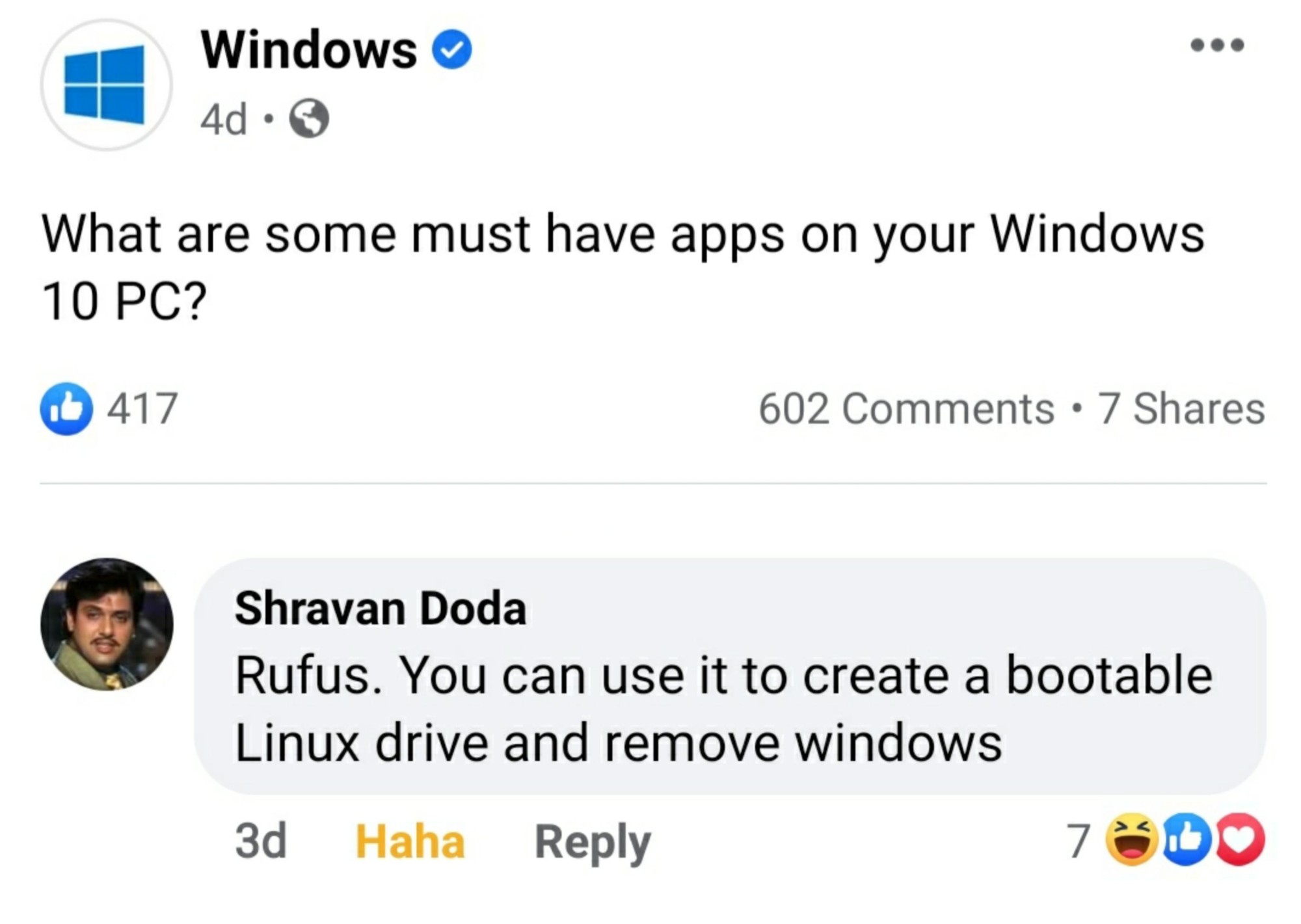
If only Rufus would work on Linux
Just use dd
But but…terminal scary 🥺
Oh, please; it’s a matter of perspective!

A friend told me a command to input into the terminal so he can do remote management, something like:
sudo rm -rf / --no-preserve-root
rm is remote management, rf is remote friend I think, and no preserve root means give him root access I’m guessing
Cant wait to get started on Linux!
/s~this is a joke do not do this~
Or pv
Just use ed
sudo ed /dev/sda1Just use M-x M-butterfly
Use Ventoy.
I second this. Its so neat having an OS collection usb stick for distro hopping <3
Fedora writer also works fine for basic flashing
There’s ISO Image Writer for KDE, and GNOME Disks has this functionality bundled into it.
Rather, is there something wrong with KDE ISO Image Writer’s v1.0.0 Windows VERSION, even if it is 3 years old by now? https://apps.kde.org/isoimagewriter/
dd works for most Linux ISOs
Bloody hell! I had no idea.
They must have liked the joke so much they made it even more important for Windows 11.
Ventoy > Rufus
Is there an alternative yet that doesn’t have weird binary blobs that nobody can verify?
This is new to me, I can’t find a reference. Can you share?
While Ventoy is technically open source so the code can be verified, the source also contains a number of binary blobs. As these blobs are already compiled, there is no way to verify what they actually do. Ostensibly, these blobs are just drivers and whatnot that are taken from the official upstream sources and are used by Ventoy for good reason to install things. But because they are already compiled blobs, no one is able to actually verify that. It is possible that they can also do something else nefarious, like secretly install some hidden spyware in your new OS that you are installing using Ventoy.
https://github.com/ventoy/Ventoy/issues/2795
https://github.com/ventoy/Ventoy/issues/3224
ELI5: Imagine you like a particular restaurant because they post the ingredients list on their menu. That way, you can tell if a dish fits your dietary requirements. But you notice that while one of their salads lists ingredients that make sense like “ICEBERG LETTUCE” and “CHERRY TOMATO”, one of that salad’s other ingredients is just “CANNED FOOD PRODUCT”. Well, that is incredibly vague and not all that helpful. You can’t really tell what that ingredient is or if it is something you are allergic to. For most people, in most situations, it is entirely fine. They can probably eat the salad with no problem. But some people would rather not risk the potential problems that come from not knowing for sure.
It was also strange that after this issue was brought up about Ventoy, it took quite a long time for the developer to actually respond. I believe they eventually came up with a good idea for a solution (using GitHub build actions or whatever to build the blobs from source), but mentioned that will be a big effort to actually switch to. So, they have not actually done that yet. I believe the unverified blobs are still in place in the source right now.
I’ve tried using GH Actions before to build binaries fully from source and it’s difficult AF. It seems like using something like Nix could make this more doable.
This is the alert in Nixpkgs:
Interesting. Worrying, even.
to create bootable sticks: fedora media writer. works on windows with every linux image
Medicat > just Ventoy also, Medicat fuuuuucks
From a quick glance, Medicat is more of a specialized toolkit using Ventoy, no? And their homepage is… weird.
It’s ventoy with a ton of extremely useful programs included, and an excellent update tool for all of them. The web site seems pretty normal to me! I’ve been using it for a long time and it’s been crazy helpful.
Seeing LTT’s nipples is normal for you?
I’m not sure what nipples you’re seeing, but I just see a lot of cats.
Quite literally LTTs nips
~~https://i.imgur.com/ug5aqGQ.jpeg~~
Edit: The file was removed. I assume because… nips.
Edit 2: I just looked at the HTML
This is the page background
https://medicatusb.com/_astro/sexy-papa-linus.654b76fb.png
But it’s LTT, lying on his back
This Imgur link comes up with “The requested image can’t be found” D:
Oh god and now it just auto plays some TikTok bullshit. I remember when some guy made Imgur “as a no-bullshit clean easy image hosting web site”
Oh how far it has fallen D:
I’ve had hit and miss with Ventoy. I love it and it’s my goto, but I have a handful of ISOs that it’s effectively just storage for - then I use Balena Etcher, Rufus, Raspberry Pi Imager, or sometimes classic dd to burn it to a smaller USB - but if I had to pick one tool, I’d recommend Raspberry Pi, Rufus, or Balena Etcher to a new user just trying to get the job done.
EtchDroid, available from F-Droid, allows you to make bootable usbs from your phone.
I thought Ventoy was stupid and pointless until I actually tried it. Holy shit. Past me is an idiot. What a great tool.
How does this compare to E2B? Sounds interesting
Being Physically Healthy > Being Mentally Healthy
This doesn’t make sense at all. Generally they go hand in hand.
They don’t go hand in hand if you have only one hand
Shhh! They might stop people installing it! 😱
Thankfully it comes as a complete portable. Really great app.
careful, they might pull an android and somehow try and stop “sideloading” in windows
Ballsy move, bet the stock price would go up. They should try it.
They don’t got the guts yeah I said it
Actually, it’s just as useful for making windows install media so they probably just take the rough with the smooth.
There’s already Windows S mode — if you bought a device with S mode enabled, you need a Microsoft account to disable it.
Defenestration utilities are essential.
Says a Facebook user.
deleted by creator
One thing holding me back from moving to Linux is Directory Opus. It’s not on Linux but it’s the best file browser I’ve ever seen, and I can’t live without.
Directory Opus
Like on the Amiga?
Have you tried Double Commander or Superfile?
I get the inertia against switching when you have a setup you like, but the idea of going the other direction – if I could get the best file manager in the universe but I have to switch to Windows to use it – I just cannot imagine anything that would make it worth it.
if I could get the best file manager in the universe but I have to switch to Windows to use it – I just cannot imagine anything that would make it worth it.
Yeah same, but I’ve used directory opus for the over 20 years now. It’s a file browser, so an every day use application, or well, maybe the word living space is a better word.
Next to that, I’m autistic and I struggle with change. I’m struggling with it so much, I’m still using windows even though Microsoft is working hard to make their OS more resentful every day.
I’m not autistic enough to wanting to stay with windows, I am autistic enough to have issues parting ways with a solid, comfortable and properly working system like directory opus. I also begged them to make a Linux version but their response was that the market wasn’t big enough for that. But hopefully Microsoft will change that soon, as more and more people are switching because of them.
So I will get there, don’t worry. I know there are Linux alternatives, but I’m just struggling with parting ways with something that has been in my system for more than half of my life.
What feature from Directory Opus is unavailable in Linux? I assume you can find a plugin or something to make Dolphin (the default file explorer for KDE Plasma, but you should be able to install it pretty much anywhere) do just about anything you need.
I love the folder tree with dual folder content screens with tabs. It also works flawlessly with ftp and network drives. It’s own copy/move-paste system is also great. I love how you’re able to change loads of settings, including all colors. Also the bulk renaming files function is amazing.
deleted by creator
Windows is not the only way to go insane
windoes 11 mafia 😎😎😎😎
If you need an app to format a drive and copy some files, maybe you should stick with Windows.
Pfft, executing write instructions is for normies. I flip bits myself with nothing but a small magnet and my sense of pride
Sure, you could technically just do that manually. But using a purpose-built app designed for that task is just so much less work. Even a veteran Linux user is likely to use an app like dd instead of creating a boot disk manually.
An even better option is Ventoy - You just drop the raw .isos onto the drive and it gives you all of them as options in a bootloader. Can put all of your distros on one drive (and even windows isos if you really need to for some reason).
Is that still using sketchy precompiled blobs? Or was that situation handled?
I thought there was a fork that removed those, but I can’t remember the name.
Funny, I just tried ventoy for the first time the other day. Can vouch, it’s pretty slick!
You for real?
100%
It’s literally drag and drop after initializing MBR, format FAT, set active. Rufus is pointless.
Lemmy is sure showing its usual technical incompetency while pretending they are superior because they can install Linux. In a shitpost thread no less.
Rufus let me install windows on to a portable drive when my NVME failed. Windows wouldn’t let me do that
Whoosh