

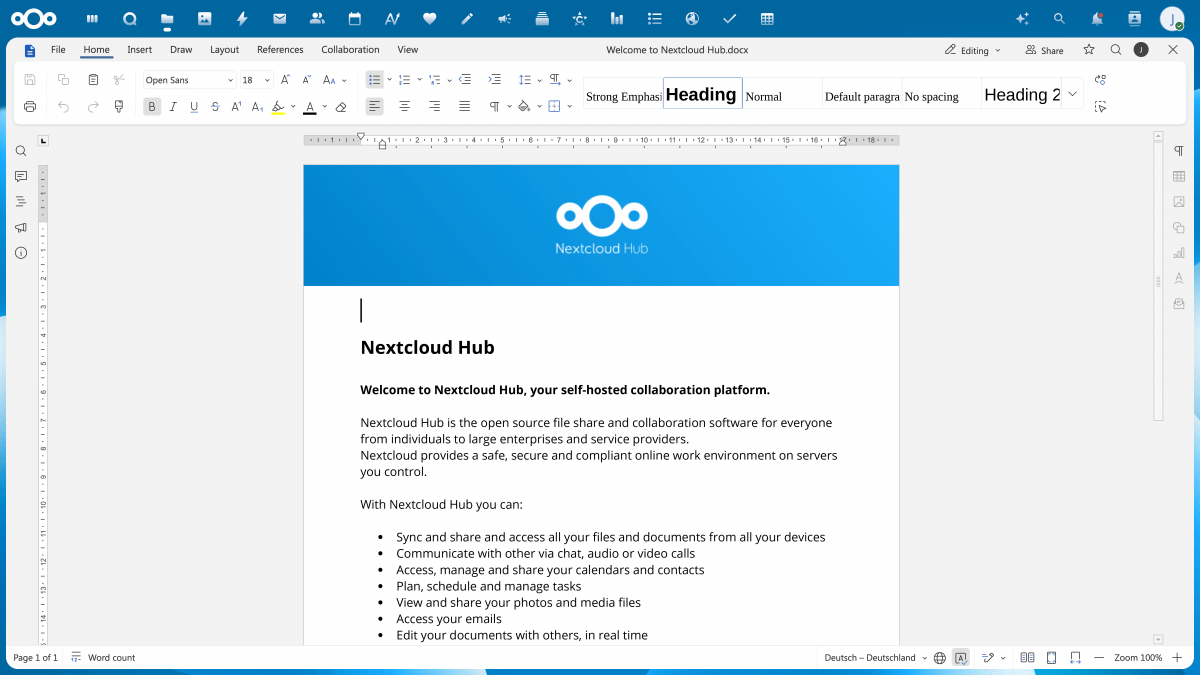
Nextcloud, Ionos and other partners are developing an open-source office suite under the project name „Euro-Office“ as an alternative to the market-dominant Microsoft Office.
The two partners are not starting from scratch, but have forked the components of OnlyOffice available as open-source code and want to build on them. In the summer, the software is then intended to replace the previous office component Collabora in Nextcloud and the Ionos Nextcloud Workspace. A ‘technical preview’ is already available on GitHub.
While this is a good news, I think they should move from github, you know microslop copilot…
Are there any actually good replacements for Excel? As an intermediate/advanced user, every alternative I’ve tried to date pales in comparison. I can’t see anyone in my industry switching away from MS because of this, as things currently stand.
Edit: I didn’t expect so many replies. I use Sync (I know, it sucks and is dead) and it didn’t inform me I had replies, so I’m only just seeing them, apologies. Can’t get to everyone though.
For those who think we’re using Excel as a database, not really. Can’t get into specifics regarding industry, but personally I use Excel daily for a variety of things, none of which is data entry. I build stuff to help calculate and solve issues; I’m not following a specific process in most scenarios. 🤷
I hear this argument a lot but no one ever gives details as to what common features excel has vs say libreoffice. I’m really curious, because i’d like to contribute free time in this direction.
What I always find missing in all these Excel vs. other spreadsheet software debates is the rationale for using a spreadsheet in the first place. I work a lot with large corporations, and it’s often the case that they can’t move away from Excel because, in the past, they relied on it to solve a process in a way that—at least today—could and should be handled better. Perhaps we should question the process more often and the Excel alternatives less.
The issue is that a lot of processes need to be understood by people who have no IT background. Your basic office drones need to be able to use it, enter data, and make changes. Every applicant in an office job will be relatively proficient in Excel.
If you move your process to another solution, the majority of your employees will have to be re-trained.
Before Excel existed people had to learn it after it became common, I’m sure if something else replaces spreadsheets people will learn and adapt to it.
As a data consultant, I would say those companies already do question the process, and have done for decades.
Yes there are countless situations where a dedicated system or database could and should replace Excel, but there are just as many scenarios where Excel is ideal, and swapping out a spreadsheet for what would be potentially tens of separate applications across the business, or one absurdly expensive behemoth, to perform tasks that could be done rapidly and clearly in Excel is neither practical nor economically viable for most companies. A spreadsheet is perfect for plenty of situations.
My job is literally to help these companies move to appropriate database solutions, often transitioning away from Excel. But there’s no getting around that a spreadsheet solves (often simple) problems that are impractical with other tools. You can move a company to a supplier’s sector-specific solution and solve huge numbers of issues, but unless that solution exactly meets every aspect of the business requirements, there’s always going to be a fallback and it’s often Excel, for better or worse.
Exactly, spreadsheets themselves are the bottleneck, they worked back in the day but data and analytics have moved well beyond that, but companies refuse to migrate to a modern architecture because the dinosaurs in charge are afraid of change.
It’s nothing to do with fear, it’s down to cost, practicality, experience and security.
The one thing these people are not afraid of is change. Every senior management resource within every medium to large business wants to implement change.
exactly this. Spreadsheets are so simple to understand that people think and communicate in spreadsheets. Managers don’t understand how much they fucking love them. Its like a cult. They make everybody meet 5 times a week to look at various spreadsheets together. And don’t see how ineffective they often are.
“we have a problem? Ok lets make a spreadsheet! Oh, the problem wasn’t solved yet? Ok then look at the spreadsheet every week now!”
Years ago, one of my buddies tried to open a very long spreadsheet and Libreoffice couldn’t do it. I think the maximum row and columns reached parity in version 7. I think one more cosmetic feature that is missing is the easy to access table and chart style templates.
Format as table
I’m confused. Excel is a spreadsheet, that’s always in the form of a table.
that downvoter really could have instead done something useful and explain what “format as table” is
A table in Excel will have a name that can be referenced. It will also automatically grow larger when you type in the row under the last row. You can have multiple tables within a sheet. It comes with extensive filters. In LibreCalc you can only set filters but everything else remains static. It’s literally the most used thing in Excel.
You just described the basic functions of a database. People are building a databases in spreadsheets. That’s not a reason to keep using Excel, that’s a reason to have an intervention lol
Edit: this is halfway tongue in cheek. Trying to get office workers to use more and different tools partway through their careers is unfortunately unviable in many industries.
I think office workers would love better tools. The problem is that most programs need to be approved by IT
The workflow to set up some basic calculations with ranges formatted as tables is just much quicker. I believe that’s why Excel keeps winning unfortunately. I just tried doing some basic things in LibreCalc and it was very cumbersome unfortunately. At home I don’t mind this, but at work I’d be pissed if I’d lose that functionality. It would seriously hold me back.
Yep, single most important difference in my view and the reason I pay an Office subscription.
Power Query
I can only assume anyone still asking the question “is Excel really that much better than the alternatives?” lacks exposure to Power Query and its prevalence in business.
Anyone reaching for powerQuery in excel should not, and instead be reaching for something like PowerBI.
So, I should use PowerBI when I get a weirdly formatted .txt file with data I want to analyze, get my insights, do calculations on etc. and will never use again after? Thats what I use PQ for, format/ combine data from different sources in a way I can use. I don’t need dashboards or fancy charts someone can click on.
And no, python is not the tool for me. I am not getting paid to learn a programming language, I don’t have time for this at work. I would have to learn and program a lot of python to do what I can do in PQ in a few minutes. I don’t even know, if I am allowed to execute a self written python script on my work PC.
And pay the additional licence? Why?
Its almost always that they’ve been following specific workflows or processes for the last n years and find that particular workflow isn’t directly supported in LO.
I only have one example and it’s not really a good one: 3-4 years ago I had one specific spreadsheet (that I got from the internet) which I used to help plan some stuff in a videogame I was playing. It had a table with a few hundred items with formulas that would iterate over those items many times.
Excel on the local machine could handle changes to that sheet instantly. Anything else I tried (including excel web) would take several seconds to change any value, sometimes even minutes.
It was probably some problem with the spreadsheet itself, but there was no other similar spreadsheet I could use so at the end of the day I had to use excel if I wanted to plan anything with that tool (but I ended up quitting the game within a few days)
No actual arguments needed unfortunately. Lazyness, change resistance.
My answer isn’t going to be helpful, because I can’t remember specifically what I was doing, but even for a small personal project a year ago, I tried to do something I consider basic, and OnlyOffice (what I was trying out at the time) couldn’t handle it and was ridiculously slow.
deleted by creator
May I suggest Python ?
By the time you get tits deep in Excel to the point where other spreadsheets can’t hack it, you may as well be using a real programming language instead of VBA…
If you can do advanced Excel, you can do Python (and numpy will crush Excel in ways that aren’t even funny, well OK, it’s funny too).
btw, libreoffice calc supports python macros, so you don’t need to choose between the two
I know, but capturing business logic in spreadsheets is a different error I didn’t want to get into here… You do what you can.
Is python realistic for non tech people? I have a lot of databases across sharepoint but no real tech knowledge beyond basics.
It’s one of the friendliest programming languages around. If you have written something in VBA then you’ll do fine with Python, except for all the bad/outdated nonsense you’ll have picked up from that language. And there’s interactive interpreters you can just mess around in.
If this doesn’t scare you then give it a look:
things = [4, 8, 15, 16, 23, 42] for number in things: print(number * 16)it was partly made for mathematicians who did not know how to develop software, but also for education. so I guess it’s a good starter language. but it allows doing way too much things that will be very confusing when overused
If you are running multiple databases you are already a “tech people”
Sharepoint is not a “database”. Many people have made that mistake and it eventually comes back to bite you.
I would recommend learning SQL. It is made to be human readable, and we’ve been perfecting it since the 1960’s.
Python let you run SQL on any file, and standard DB technology with a very small number of lines of code. Recommend reading about Pandas
I would just have a lot of interdependent excels on sharepoint, think customer data and their respective equipment, serials, progression. I detest microsoft sooving away woupd be ideal and if I can do it while getting my head around python then great.
I have no idea what pandas is.
Python is a modular language, so it has various packages to do different things you need to do. Whether that’s math, graphing, database querying, language parsing, machine learning, or pretty much anything else you can think of, there’s probably a python package for it. You just need to install the package in addition to the basic python library, and import the packages you’re gonna use into your scripts.
Pandas is a python package commonly used for data analysis. Another one is Agate.
If you’re learning SQL, there’s a python package called SQLAlchemy that will enhance your database operations. Another one is Agate-SQL, which integrates with Agate. Both are interoperable with SQLite (for local storage) and PostgreSQL (for server-based setups).
NumPy and Numba are python packages used for most math operations, and there are various other packages for higher-level math in case you need to do linear algebra, matrix multiplications, tensor calculus, or whathaveyou.
Matplotlib and Plotly are used for graphing, and there are others with more advanced features like interactive data visualization.
These are just a few examples. If you’re in geoinformatics, astrophysics, cybersecurity, or just about anything else, there are python packages that will expand your toolkit.
You won’t find any applicants for a secretary, HR, or accounting position if it requires knowledge of Python.
None of those positions are expected to know VBA script either.
If an accountant can’t do a VLOOKUP. I would be concerned
No, but for these OnlyOffice is a viable alternative. @surgarsweat was referring to way advanced features, not something secretaries or HR or accounting will need. I have use OnlyOffice for 6 years now, and have yet to find an Excel need it could not fulfill.
Nah man. Advanced is a relative term. Making formulas in a spreadsheet can be advanced vs just typing stuff in there to make easy layouts.
I’ve tried OnlyOffice for personal use and it’s just okay. There are some things that I consider basic that I tried to do and either they didn’t work or it got super slow/laggy/crashed.
Perhaps you underestimate people.
I’ve done IT consulting work for a company that had switched to an open source software stack and were forced to go back to MS because they literally couldn’t fill necessary positions and it was threatening to kill the business.
And this was at a time where there was a surplus of applicants for every position. They just all noped out when they were told they’d have to learn to use different software.
I’ve worked for dozens of companies as MSP and now I’m leading the in-house IT of a company with 300 employees. The picture is the same everywhere: Most office workers have simply memorized the exact steps needed for their role. Take away the tools they’re used to and their productivity drops to zero, while IT support workload goes through the roof.
Yup, seen it too, sucked, don’t think it’s the way forward though. Europe seems to agree, should be enough momentum.
This is the real answer.
This is a good suggestion which could work in some cases for sure.
In what ways to they fail? I’ve used LibreOffice forever and don’t have any specific complaints, but I’m definitely not using any of the more advanced features.
I love and use LibreOffice, but I do find Calc much harder to work with than Excel. PivotTables, sortable lists with locked headings and sort-buttons, even simply setting print area were all harder for me to get used to and implement on Calc than Excel.
I persist because I like the goal of FOSS, and it’s “good enough” for my usage, I can definitely understand when people show frustrations - especially power users that have worked with MS Office for decades.
I like to think of libreoffice calc as a spreadsheet program, it’s for running calculations on cells, that’s it.
Excel was, but is no longer, just a spreadsheet program. Many things have been smashed into it that could have been better implemented separately, but when you’re trying to tie down all office work to your single office suite, a hammer’s gotta hammer. So they hammered a lot of those uses into excel to keep office workers tied to it. Admittedly, that does make it easier for office work since you don’t need to train employees in multiple programs, you give them excel and teach them functions as they need them.
That’s because most people are not willing to migrate their macros and some formulas from excel (lazy fucks that they are). It’s doable, I’ve done it, did it years ago, and now build new ones for libre office all the time.
I have never had to rely on, or even use, microshit’s software since then, haven’t had anything not work for me. Being the imbecile that I am at those things and having managed to make them work, it’s just a matter of choosing to do it, which most people choose not to.
People always say this about LO.
I have a small finance consultancy, and we’re a LO shop all day every day.
Its fine.
Probably more credibility if you actually give real, specific examples of what you cannot do on Libre Calc that you require?
Oh boy!
Lack of proper table support.
FILTER is borked.
MAP functions and their ilk aren’t there.
The DBASE functions have serious issues.
Array formulas sort of work but often results in issues.
Calculation speed is super slow. I’ve tried converting a pension forecast tool and it just ran so incredibly slowly.
As someone self hosting my own Nextcloud with Collabora, I can tell you that living with LibreOffice is easy - but living with Libra Calc is impossible. It is not a workable, serious solution.
The fact that you can’t make real tables renders the software completely unusable. Tables are used in pretty much every spreadsheet.
I think you might be thinking of databases… Access (barf), not Excel.
I do think databases and tables are a useful thing but most database systems require over-specifying fields via esoteric “column types” while spreadsheets underspecify them via formatting (and extremely limited formatting at that)
Some happy medium must exist out there, but I haven’t seen it. Notion and Google Docs (Format /Convert to Table) approach this but don’t quite get there.
No, definitely thinking specifically of data tables in excel.
I appreciate you attempting expansion, I will say it is still difficult when you’re asked for specific detail and your response consistently States generalities like:
“lack of support” - meaning what, feature isn’t there at all? Doesn’t display existing tables from uploaded excel docs?
“has serious issues” - meaning… what are they?
“results in issues” - …
“…is borked” - c’mon
and "incredibly slow " - relative to what? Double time of expected from excel? Triple? Extra two seconds per attempt?
You’re using subjective terms that mean people can’t A) determine if you’re problem will impact them as well and B) you’re not describing your perceived issues well enough to allow experts reading along here, now or in the future, to offer you actual solutions or alternatives.
That considered, it makes you come off as a person who doesn’t want their perceived problem solved.
Alternatively, it comes off as a person who has tried this in earnest numerous times and is exhausted by people who assume that they haven’t given things a genuine shot.
And there are few things more grating than a tech person assuming the other person doesn’t know what they are doing in earnest just because they were short with you from having already explained it elsewhere, numerous times over time, to the same result of what is, effectively, tone policing. “You didn’t phrase this in a technical manner thus I assume you know jack shit.” Not far off from sea-lioning really.
You’re bringing a lot of personal momentum to your responses obviously. My point was clear, state specific issues to allow the potential for specific answers. If you’re moving in good faith, that’s the approach.
The perspective here is one of someone resistant to change, blaming FOSS as an easier scapegoat. Always simplest to blame the tool over the operator… And often, that “dumbshit, broken printer that won’t print!!!” Just wasnt plugged in.
Your rebuttal is borked.
With the greatest respect, and trying my very best to not sound like an arrogant jerk, if you need to have Calc’s lacklustre FILTER function, which often just spits out Error 533 into cells and which can’t quite figure out if it wants to be an array formula, further explained then I dare posit that you may not be a heavy spreadsheet user and therefore spending a large amount of time explaining it does rather reverse the burden of proof. For goodness sake, try and do anything serious with FILTER is Calc and you’ll very, very quickly see what I mean.
I was able to duplicate a simple Excel spreadsheet in calc with functions and VBA. I’d love an example of what it can’t do.
Also, jobs that still require advanced usage of Excel with VBA pay well enough to have someone redo it in typescript or JavaScript.
No, there isn’t.
I would love if there was, but beyond basic use cases, Excel is significantly ahead of the competition.
I mean ideally people should move away from spreadsheets altogether, keeping the data and the view and control layers mixed like that is kinda terrible and scales poorly for large data sets that require any serious transformation and computations, ideally your data should reside in a acid compliant database or some data lake for safety and ease of access, and then view and transformations should be handled by a separate software on top of that, at least this is how most companies that do big data analytics set things up, I know it’s overkill for some small to medium company that has limited needs, but there has to be something better than putting data into cells and writing functions on top of that.
LLMs actually revitalized movement to move away from excel. I think it’s done for in the next 10 years.
Not if microslop can do anything about it, you thought regular excel was bad, now checkout the new “AI enhanced” excel
I’m not talking about uses of Excel as a serious database, though. 🤷
WPS Office is the best I’ve found but I’m a little sketched out by the source.
WPS Office has the best free Excel replacement IMHO
I really like Gnumeric. It can handle some large sheets and complex cases better than LibreOfficr Calc. But Calc is my daily driver.
I like Grist, it’s a step closer to a database but is still as easy to use then a spreadsheet.