Servers grabbed from here: https://servers.opennic.org/ (OpenNIC itself is kinda barely holding but the servers are pretty good).
Note that your browser will ignore this. Open up Firefox (or derivative), Settings, Privacy and security, DNS over HTTPS, Own settings, Own, and paste something like https://dns1.slowb.ro/dns-query into it. Again, you can grab a server from opennic (look into description for URL). No, you cannot use opennic.glue addresses here.
Now, note that this may still be tampered with, if your ISP/government cares enough. Not in the browser, but system wide yes. In this case, you will have to use dnssec-proxy, route your DNS over I2P/Tor OR run your own resolver. In all of these scenarios, you will have to make sure the program providing it is listening on port 53 (and nothing else is taking it) then just make /etc/resolv.confthis instead:
nameserver ::1
nameserver 127.0.0.1
Obviously, all of this only affects DNS tampering and nothing else.


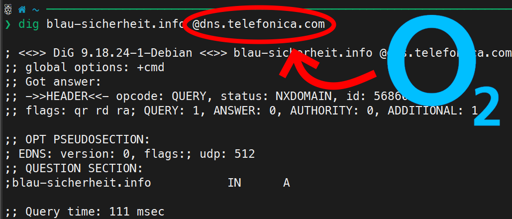
No. Not enough, still often overridden by router or whatever.
Edit
/etc/NetworkManager/NetworkManager.conf:Full file I suggest
And disable/delete “Avahi”.
Restart NetworkManager twice. If you don’t know how, restart the computer twice. No, I don’t know why twice. Now, edit
/etc/resolv.conf:Servers grabbed from here: https://servers.opennic.org/ (OpenNIC itself is kinda barely holding but the servers are pretty good).
Note that your browser will ignore this. Open up Firefox (or derivative), Settings, Privacy and security, DNS over HTTPS, Own settings, Own, and paste something like
https://dns1.slowb.ro/dns-queryinto it. Again, you can grab a server from opennic (look into description for URL). No, you cannot use opennic.glue addresses here.Now, note that this may still be tampered with, if your ISP/government cares enough. Not in the browser, but system wide yes. In this case, you will have to use dnssec-proxy, route your DNS over I2P/Tor OR run your own resolver. In all of these scenarios, you will have to make sure the program providing it is listening on port 53 (and nothing else is taking it) then just make
/etc/resolv.confthis instead:Obviously, all of this only affects DNS tampering and nothing else.