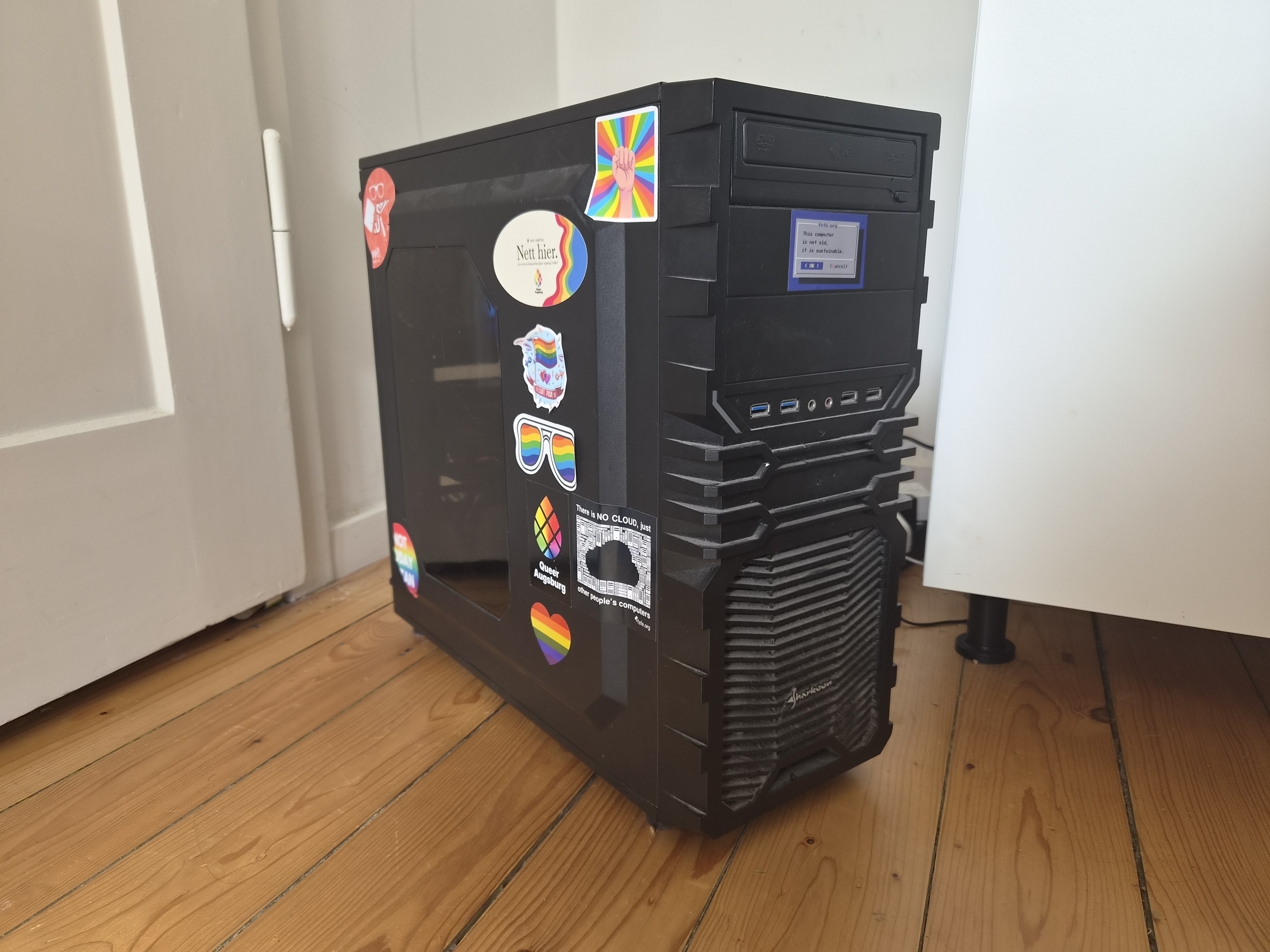

After years of breaking things, I think I’m finally at a point where I’m genuinely proud of my setup -so naturally, I have to share it with you all.
This is my single-server do-everything box. The whole point was to kick as many big-tech cloud services out of my life as possible. Photos, passwords, code, chat, even ML -all running in my closet/corner.
The guts:
- Ryzen 7 3800X (8 cores, 16 threads)
- 48GB of RAM (Channel A: 16GB+8GB, Channel B: 16GB+8GB | still dual channel with stock timings and clocks.)
- RTX 3050 8GB (handles GPU-accelerated processing with GPU passthrough to said LXC’s)
- A couple of storage pools (Fast-Thin-LVM (Nvme) for stuff that needs speed, TB-Thin (Sata) for the bulk)
- Proxmox 9.2.5, kernel 7.0.14
Nothing crazy by today’s standards, but honestly? It handles everything I throw at it without breaking a sweat.
The services:
Everything runs in LXC containers. If a service needs Docker, I run Docker inside the LXC - so each service gets its own dedicated container with its own Docker install. A couple of other things (like OpenWrt and DSM) live in VMs instead.
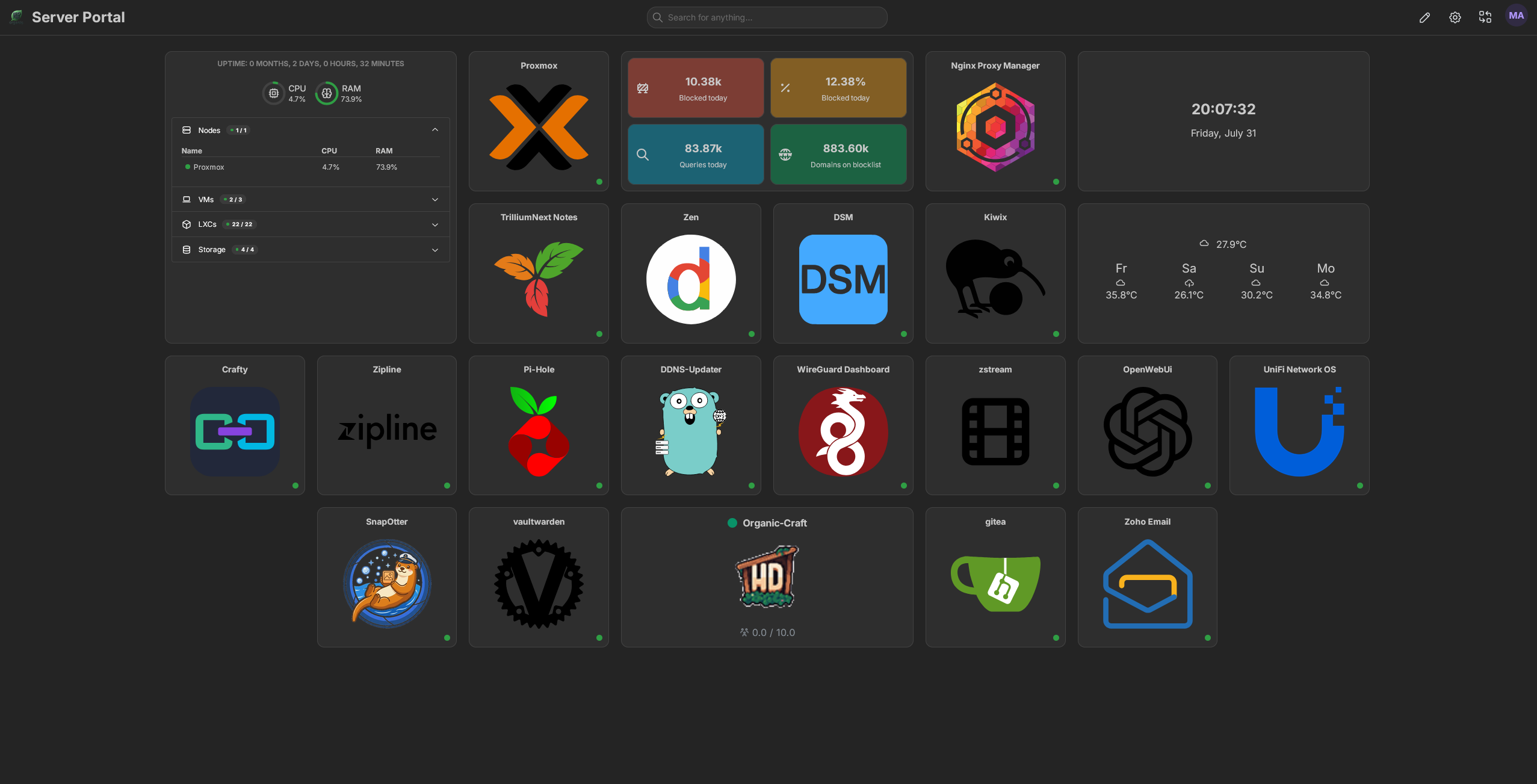
I’ve got the usual suspects - Immich for photos (goodbye Google Photos), Vaultwarden for passwords, and Matrix Synapse for chat. Networking side is Nginx Proxy Manager, WireGuard, Pi-hole, and OpenWrt routing traffic as well as DDNS-Updater to keep my domain up to date. Also running Gitea for my little coding projects, Kiwix for offline Wikipedia (because why not), Trilium for my scattered notes, homarr as the dashboard and of course lemmy, your reading this on it haha.
On the heavier side, I’ve got Ollama + Open WebUI running locally with GPU acceleration - the 3050 gets the job done.
Snapotter is in there too - it’s an open-source, self-hosted file toolkit with 200+ tools for images, video, audio, PDF, and document processing. I use it so I don’t have to rely on sketchy file conversion sites anymore. Convert, compress, OCR, strip metadata - all happens on my own hardware, files never leave my network. The GPU helps with some of the heavier image tasks too.
And yes - I’m running DSM (Arc Loader) in a VM with PCIe passthrough for the NAS. It’s a bit overkill, but I wanted proper storage virtualization with direct hardware access.
I also will not lie- the GPU sits idle most of the time, but it’s nice to have the acceleration.
Why LXC + Docker instead of just Docker?
I just like having each service in its own isolated container with its own Docker daemon. It makes backups and snapshots stupidly easy in Proxmox - when I inevitably screw something up at 1 AM (and I will), rolling back takes two clicks. Plus, it keeps dependency hell contained.
Dive into the Details
If you’re curious about the configs, the philosophy, or just want to see the messy reality behind the setup, head over to organic-server.org. You’ll find some more of my ramblings there.
Or, if you have a specific question, I’m always happy to chat here.
edit: I also forgot to mention I have degoog running. oops.
Nice setup! Might check out some services I didn’t know about yet.
But I might add one thing, because I am/was in the same boat: Friends Don’t Let Friends Use Ollama
Great article, they always gave of that energy tbh. But I did not bother and also didn’t use it enough that it would matter. Good to have a write up about it. Thanks for sharing.
Woah, thanks for the article!
Commenting because I’m suuuuper interested but can’t read it now, but I never look at saved comments. Thank you!
I’ll summarize.
Shitty VC backed company. Just a wrapper for llamacpp. Just use llamacpp. If you want a front end, I recommend Anything LLM
Nice specs, nice setup. You might want to add another rainbow sticker or two, just in case :p
Wait, we’re putting stickers in the case now?
where are they in the case??? hahaha (edit: i am still getting used to lemmy comments, so i thought you said I had stickers in my case- I didn’t see you replied to someone haha)
I believe by replying to my comment, per Lemmy rules, totally not mine. You’ve contractually agreed to putting at least 5, but no more than 100 rainbow stickers on the inside of your case.
Yes, you may call them “RGB”.
Yes, they make your NAS go faster.
Yes, they improve airflow, but only when oriented correctly.
No, they don’t make you less straight. They’re “closeted” officially.
Welcome to Lemmy :), you’ll fit right in lmao
Thank you!!
Low emission leds!
I see ‘nett hier’ sticker, i vote up.
Acronyms, initialisms, abbreviations, contractions, and other phrases which expand to something larger, that I’ve seen in this thread:
Fewer Letters More Letters LXC Linux Containers NAS Network-Attached Storage PCIe Peripheral Component Interconnect Express PSU Power Supply Unit Plex Brand of media server package SATA Serial AT Attachment interface for mass storage SSD Solid State Drive mass storage
[Thread #68 for this comm, first seen 31st Jul 2026, 18:30] [FAQ] [Full list] [Contact] [Source code]
What’s your backup strategy?
Your homelab looks gay
I run docker within LXC too, but I have just a pair of docker instances with a collection of compose stacks on each. I really need stickers.
Same. When I first started down that path I kept finding posts about how it was impossible to set up and maintain but it’s been pretty painless for me. I basically had no clue what I was doing and I figured it out just fine.
@ndupont Stickers, yes. Colored sticks. I put little stickers all over the computers. Most stickers have mundane details (like host name, Subnet, etc.) but I also use a sticker for each major service. Everything else is documented in notebooks or spreadsheets. It’s probably overkill, but, between my memory and the home-grown gradual evolution of my #homelab, stickers really useful. I have 9 or so computers (rack-mounted), more controllers spread around (e.g., ESP32s running WLED, Pi Zeros), and nearly 250 individual devices for #homeautomation. I’m trying to learn about FOSS for configuration control but that’s slow going.
250! Wow, I thought I was already nuts with my 42 ZigBee devices + 10 reflashed sonoff over WiFi and my 8 cameras, doorbell etc… Let’s round up to 60; you are way ahead (oO)
I run everything on a single N100 mini NAS/PC with a remote slave backup NAS and the odd raspberry pi.
I’m more concerned about having to document in case I die than being able to keep all in mind, so far
@ndupont Friend, you won’t need the documentation in case you die. You’ll need it because you will forget (like me) what you did and why.
The day I hit a tree with my sports car or what have you, my family would certainly be less sad if they could keep the lights on, control the heating and so on.
It’s made so you could remove node red and still have basic functionality, but I really need to document a bit, share passwords, so a trusted friend could help them just in case
Dope little setup. Love the BIOS sticker.
Nextstep is Homepage with all your services on it.
I mean, I kinda do- for public services on my website. but I don’t why I would do a dedicated one- when almost all need services authentication.
but I do use homarr for as an internal “homepage”/dashboard. Great idea though.
Nice.
I spent an entire weekend doing this and then just sat there staring at it like the Wolverine looking at a picture meme.
Ah yes, an appimage packaged into a Flatpak packaged around Docker packaged into a proot+bubblewrap script which is packaged back into a Docker container (but a newer version) running under a Snap packaging of LXC under Flatpak Snap.
The app is running Java of course.
You have each “docker” container in there own lxc running docker? That’s a silly way to do it if I’m understanding correctly. You’re adding overhead to containers for little to no benefit. You could put them all in the same lxc or Proxmox supports OCI containers natively now.
I think the misunderstanding is that I’m running every single service as Docker inside its own LXC. That’s not actually what I’m doing.
I split things by service boundary. For example, Pi-hole + Unbound has its own LXC, Lemmy has its own LXC, Immich has its own LXC, etc. Most of those run natively in LXC without Docker at all.
Docker is only there where the application actually expects/benefits from it. I’m not adding a Docker layer everywhere just for the sake of it.
The reason I prefer this over one giant LXC with everything docker- inside. is the management side.
Yes, there is some overhead. But LXC containers are much lighter than VMs. They share the host kernel and use Linux namespaces/cgroups for isolation, so you’re not paying the cost of a full virtualized OS. The extra memory/CPU overhead is minimal compared to the management benefits I get from separating services.
The Docker overhead only exists on the services that actually need Docker. A lot of my services run directly in their own LXC without Docker at all.
Could I put everything into one LXC and run Docker Compose? Sure. It would probably work fine. But for my homelab, ease of maintenance and recovery is just as important as raw resource efficiency.
How does that make it easier for maintenance?
Proxmox supports OCI containers natively now
As of 9.1, and kind of. To be clear what its doing is not a drop-in replacement for docker, but using that image as a basis for an lxc - so you’re not just pulling a new image to update, more like re-deploying, so keep your stored data elsewhere, outside of the lxc. So what was handled by pulling an image or a change to a compose is done manually in proxmox now, but it does make things like backups/snapshots much more consistent and proxmox-native.
Yeah, but if you were doing lxc + docker per container you might as well use this oci as lxc method. I think both methods are silly, but that’s just my opinion.
If its a single image, I’d agree. If its a compose with multiple images though, better off combining into a single lxc or VM.
My last gen Homeserver was like this too. It worked okay, but network configuration, especially port forwarding and ipv6 sucked.
My current generation is just debian stable again, it just works.
Damn that case takes me back
I really like those big cases. Lots of room for expansion and cooling I’ve got an old CoolerMaster Cosmos II.
spoiler

I took the bottom rails and retrofitted casters on it. It’s huge and hard to move around. Stands about 30" tall.
I love the Cosmos cases! I’m still using the Cosmos SE for my gaming pc. Computers should have handles!
This one? That’s a pretty nice look to it.

That’s the one! Thanks.
Getting some cameras and running frigate+ is a good way to utilise the GPU. My 2060 6gb runs 10-30% usage with 3 cameras. Can do cool things like send me a notification using ntfy if a person is seen between 2300-0500 something like that.
I did have ollama set up for local models but I’ve found anything that will run on 6gb isn’t worth using anyway.
Ahhh…yes. The PronMaster 6000
Love the front sticker