Join the list any time before June 25th at 10 a.m. PT. On that date, the list will be closed and randomized, and you will receive an email with your results shortly after.
Turn off your Steam Deck entirely.
Press and hold the Volume Down (-) button and press the Power button.
Release the buttons when you hear the chime. This will load the Boot Manager.
Select your External USB/SD Drive using the D-pad and press ‘A’.
This is cool and all and I appreciate the guide! That’ll help someone out in the future.
However everything you mentioned is NOT something a normie would EVER touch. Never. So again I ask who is this for…because nerds like me already built a computer and normies dont want something that can’t play the most popular games. Just my take. Valve will do fine regardless!


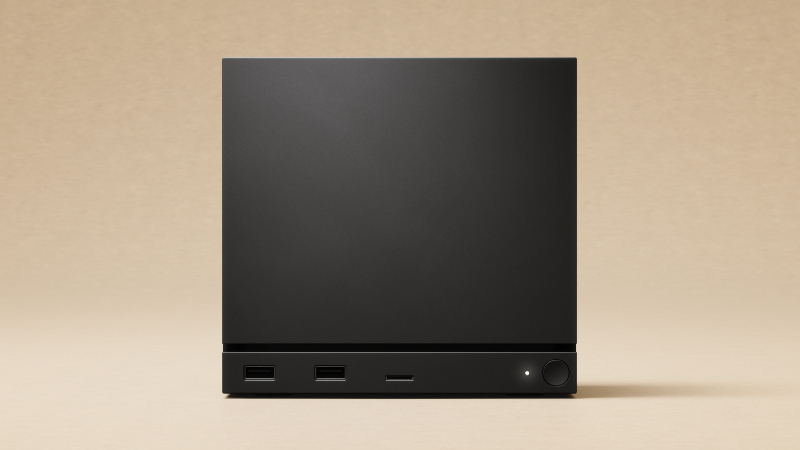
I mean, the Steam Deck can dual boot Steam OS and Windows 11. I have a 2TB USB C SSD that is a full Win11 install.
I expect I could use that same SSD on the Steam Machine.
Instructions:
Win 11 Install:
https://www.aomeitech.com/clone-tips/install-windows-11-on-external-ssd-8523.html
Steam Deck Boot Menu:
Turn off your Steam Deck entirely.
Press and hold the Volume Down (-) button and press the Power button.
Release the buttons when you hear the chime. This will load the Boot Manager.
Select your External USB/SD Drive using the D-pad and press ‘A’.
SSD:
https://www.kingston.com/en/external-ssd/xs2000-external-usb-c-solid-state-drive?capacity=2tb
This is cool and all and I appreciate the guide! That’ll help someone out in the future.
However everything you mentioned is NOT something a normie would EVER touch. Never. So again I ask who is this for…because nerds like me already built a computer and normies dont want something that can’t play the most popular games. Just my take. Valve will do fine regardless!
Hmmm… I wonder if there’s a market for pre-installed Win11 boot SSDs then. 🤔