

0·
4 hours agoI want that too, but for some reason it’s become like pulling teeth to get local split-screen multiplayer in a racing game anymore, and that’s a mandatory feature for me. Luckily we got Screamer this year.
I want that too, but for some reason it’s become like pulling teeth to get local split-screen multiplayer in a racing game anymore, and that’s a mandatory feature for me. Luckily we got Screamer this year.
The one anti-union employee who got the most mention in the article was eligible, unless I read that wrong. This whole initiative seemed to have many problems, whether you were pro- or anti-union. On Bluesky, the author summarized her article as:
reported on something that was really difficult for a lot of people for a lot of different reasons in a lot of different ways
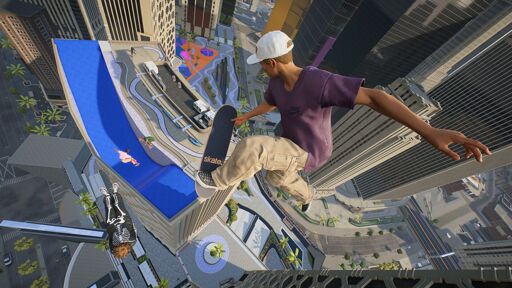
I think the mod has been downloaded 350k times because they asked for Skate 4 and this is what they got instead.
Yeah, I’m willing to explore some unknowns. No way I would have ever heard of some of my favorite bands without Guitar Hero and Rock Band. But you need to sweeten the pot up front so I can play Muse or Metallica or Foo Fighters or Dream Theater before I start branching out.
I’ve tried the version of this type of game without the separated master tracks, and it results in a worse gameplay experience, so customs won’t do a lot of good for me. The big thing with Stage Tour is that this is the first time one of these came to PC since the terrible port of Guitar Hero 3, but it’s a chicken and egg sort of situation where the soundtrack I’d like needs to be there, and that will probably only come with time allowing them to build and sell a lot of DLC so I can pick what I want. I think it’s a difficult road ahead of them.
Governments hand out perks in the interest of tourism all the time. That hardly makes it fascist.
I didn’t have much faith in it, honestly. The demo they showed us several years ago was smoke and mirrors because even after a long development period, they didn’t have a vertical slice that was anywhere near ready, and I’ve got no reason to believe that any large publisher would make a shooter like they used to. Do you think we’d have gotten split-screen and deathmatch in this game, or do you think they’d have some kind of live service multiplayer? Even a Free Radical run by members of the original team couldn’t make a TimeSplitters game when given the resources to do just that; they tried to make something that looks like Fortnite, just like everyone else, before it too got cancelled.
Sure, but you just spend your time and money on the better stuff, and it all comes out in the wash.
Not the way it’s being done now. As I understand, this is sort of like green screening a character from one game into the other, without the actions actually working the way you’d imagine. Also, there’s a nonstop deluge of games coming out all the time with great mechanics.
For what it’s worth, the stuff gated behind the online requirement for Bond was far less of the main event than it was in Hitman. But that stuff still really bugs me, too.
Yeah, mine was more an abbreviated history. If memory serves, that one delayed NBA Live was actually cancelled after review copies went out, which only a handful of games have ever done. As I remember the likes of Jeff Gerstmann telling it, that was the exact inflection point. Though I’ll admit I haven’t purchased a basketball game since the N64.
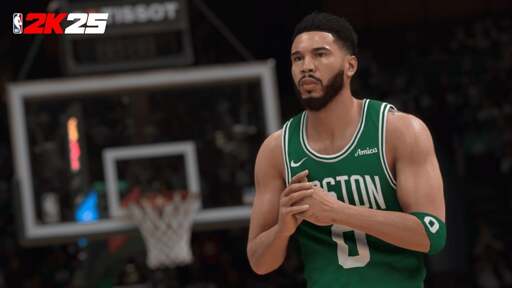
Unlike American football and baseball, NBA does not have an exclusivity deal with 2K, last I heard. It’s just that their competitors always made worse games, and 2K was all that survived. There isn’t even an off-brand basketball game to turn to without the NBA license. If you want video game basketball, this is basically all there is.
This is how it was done 30 years ago, and I think they found that continuing to do it this way makes more money.
Probably the best way forward for someone to try to compete and usurp this series, which would be a tough road even with 2K continuing to shit the bed, would be to make an easily and highly moddable game that gets the sport’s gameplay right from the get-go, so that players can implement their custom teams the way they want without being raked over the coals for the NBA license. There are a handful of American football games out there seeking to do that, but they’ve hardly made a splash compared to the (lately very poorly received) Madden titles, so a game like this would rely on enthusiasts and word of mouth.
This game isn’t online-only, but a mode that ought to work offline is arbitrarily tied to a premium currency that is affected by the server shutdown. Plus, the kind of person looking to play NBA2k is looking for a basketball game, not just any video game, indie or otherwise. There are no more basketball competitors, even though the NBA is one of the leagues without an exclusivity license.
In my experience, the +R equivalent with three anti airs will always have one that’s just best to use instead of the other two, so you don’t really get that variety. Generally speaking. I play a Strive character with at least 3 very situationally different anti airs (Dizzy).
I guess my surprise comes from the fact that you think Strive is homogeneous yet you’re looking forward to Melty Blood, because as a layman, I can hardly tell the difference functionally or aesthetically between large parts of that roster when it’s on a stream.
They made a game that’s easier to learn, but not one that’s less difficult to master. Zato has fewer moves, but what they did was make sure that every move was useful, usually in multiple different situations. There’s also the plethora of applications for the new RC system, which is a universal system mechanic that acts as a multiplier for how you can use their unique kits. It’s not even that Zato is different than Sol Badguy at their cores; they’re wholly different from one another at every level, just like in +R. Accessibility is a great thing, and it’s not opposed to either depth or variety. If you want those larger move sets (even though, I’d argue, optimizations of those move sets tend to shrink them down to a possibility space that’s very similar to Strive), you’re allowed to have that preference, but I do think you’ll have a hard time arguing that this roster became homogeneous as a result. It’s extremely asymmetrical, and while SF6’s top tiers rise to the top so quickly that a top 8 will tend to have multiple repeat characters represented, it’s not uncommon to see 9 characters in a top 8 for Strive.
Well, Airplane and Naked Gun are surely less grounded than Tenacious D, and I love those. Like I said, I don’t know that I can articulate this down to something measurable. The company I watched it with didn’t think too highly of it either. But I do still pull up those opening and closing songs on YouTube from time to time.
I played plenty of +R. A lot of Strive’s roster is the same characters using the same or slightly-tweaked gimmicks, and other than like Unika and Ky, for lore reasons, I think you’d have a tough argument to make that there’s much of any overlap between any two characters in the roster. A strong, diverse roster is an important quality to me, and it’s why stuff like Strive and Skullgirls have worked for me for so long.
You can wait on Avatar if you like, but it’s at least priced accordingly with how much went into it. I thought the game was fun to mash on for a few hours rather than dedicating serious time to, but lots of folks would disagree with me.
If you’re BlazBlue fan, there’s a new character on the way in 2027, and in addition to the community revival that will bring along with it, that probably means they’re testing stuff out for a sequel. I doubt they’d make said sequel too much like Strive when Strive already exists.
The Big Short straddles the line between drama and comedy, but it’s a favorite of mine. Of my favorites, the one closest to Tenacious D in tone would probably be something like Walk Hard: The Dewey Cox story, which still has plenty of dick jokes, including right in the title, but I’m not sure I could articulate why I really enjoyed one and hated the other besides that one made me laugh way more.









It’s an arcade racer with an anime sense of speed and an anime story mode. The story mode has its hits and misses, but the core loop is that your right stick is used for drifting (on the default control scheme), you build boost with a Gears of War style active reload system, spending boost additionally builds a second meter, and that second meter can either be spent on takedowns or defense against takedowns. It’s awesome, and it has split-screen multiplayer.