tldr:
* I installed console-only Debian on an old laptop (no desktop OS at all)
* I added some packages to make it work better for writing:
* network-manager for connecting to hotspots while I'm away
* kmscon for custom fonts and more than 16 colors in the tty
* tmux for a nice status


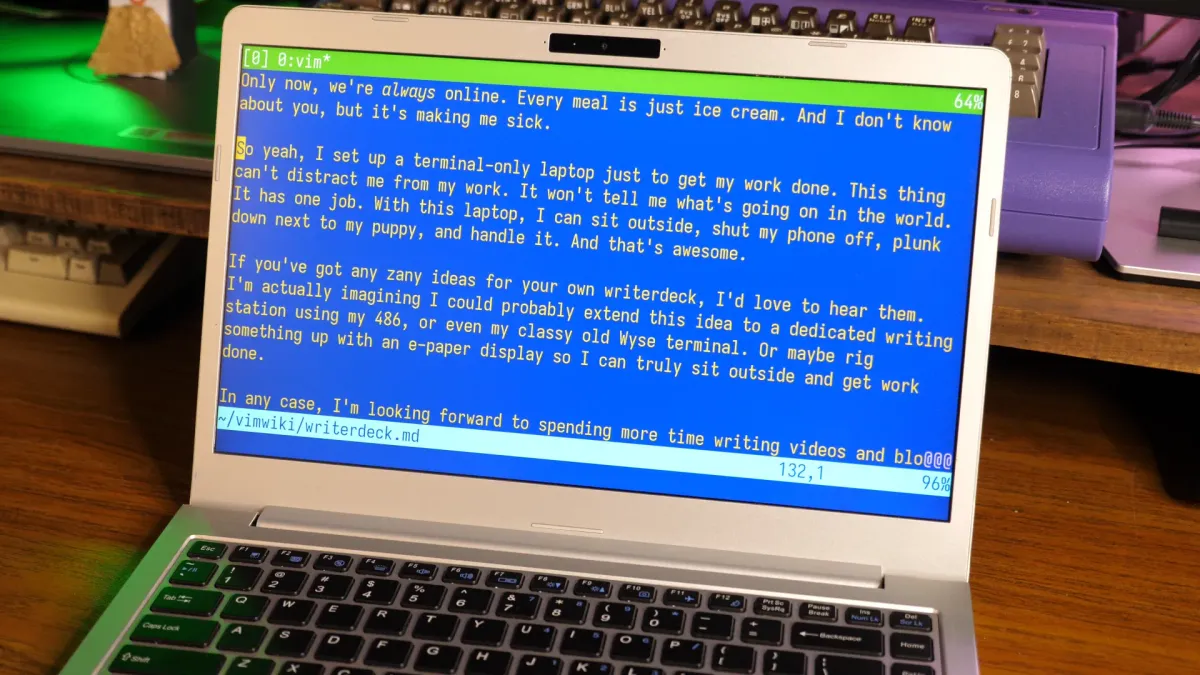
Courtesy of this post, here’s a test script to show a terminal’s capabilities:
I thought that it might be them using fbterm (a more-sophisticated userspace framebuffer virtual terminal emulator that’s an alternative to fbcon, the built-in Linux kernel virtual terminal emulator), but at least on my system, fbterm doesn’t seem to show italics.
EDIT: Ah, saw @[email protected]’s comment about kmscon. It looks like they’re using kmscon, a different userspace framebuffer virtual terminal emulator, and explicitly say so in the article.
EDIT2: If you install it, looks like on Debian it gets used by default on next boot as the new console virtual terminal emulator. Note that unlike fbcon and fbterm, you apparently need to use Control-Alt-FKey rather than just Alt-Fkey to switch terminals when you’re inside kmscon, same as if you’re in Xorg or Wayland.
Better use tput instead. The escape sequences depend heavily on the emulated terminal used.