

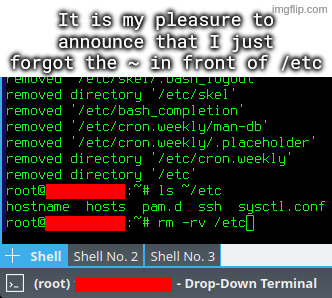
I accidentally untarred archive intended to be extracted in root directory, which among others included some files for /etc directory.
I went on to rm -rv ~/etc, but I quickly typed rm -rv /etc instead, and hit enter, while using a root account.
I’ve literally done
rm -rf /while root. I thought I was elsewhere and didrm -rf .and I was in the top level directory. When it took way longer than I expected, I hit CTRL+C about 10 times and looked at the damage. Oops.Luckily it didn’t get to /home, but it did wipe out /bin and /etc. I had to rebuild the OS. I learned.
Half a year ago I accidentally git cloned to a folder named ~, so naturally I did
rm -rf ~.Mistakes were made. Fortunately I backup my ~ so it was just annoying.
If I’m about to run an
rmwith a slash in it, alarm bells go off in my head. I prefer tocdto the parent and thenrmwhatever without slashes in the name.That didn’t save me the other day when I accidentally put a space before an asterisk, but thankfully that wasn’t in a place that was overly important.
Gotta retrain myself to look out for extra nothing now.